
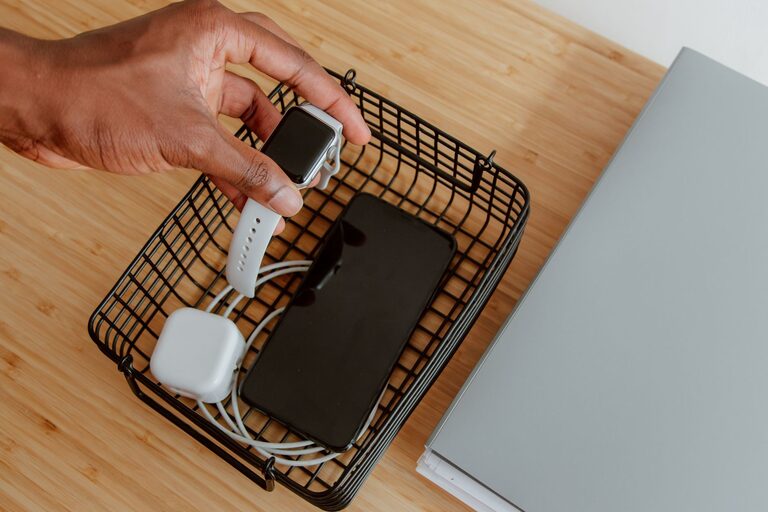
Setting up a dedicated charging station for your devices is a simple yet effective way to keep your gadgets organized and powered up. Whether you have smartphones, tablets, smartwatches, or wireless earbuds, having a central spot to charge them helps reduce clutter and makes daily use more convenient. In this guide, we’ll walk you through the steps to create an efficient and tidy charging station at home.
Why Create a Charging Station?
Many of us have multiple devices that require charging, especially in households with several family members. Without a designated area, cords and devices can end up scattered across rooms, making it harder to keep everything charged. A charging station:
– Keeps cables and devices organized
– Reduces the risk of misplacing chargers or devices
– Saves time searching for available outlets
– Helps maintain a neat, clutter-free space
What You’ll Need
Before you start, gather the following items:
– Power strip or multi-port USB charger
– Charging cables compatible with your devices
– A container or organizer to hold devices and cables (optional but helpful)
– Labeling materials (optional)
– Cable ties or clips for cable management
– A suitable surface, like a small table, shelf, or desk area
Step 1: Choose the Location
Select a spot in your home that is easy to access and close to a power outlet. Common locations include:
– A corner of the living room or family room
– Home office desk or shelf
– Kitchen counter
– Bedroom nightstand
Consider areas with good ventilation since devices can warm up as they charge. Also, pick a location that is comfortable to reach for everyone who uses the devices.
Step 2: Select Your Charging Equipment
Evaluate how many devices will charge at once and what type of chargers they need. You have two main options:
Power Strips with AC Outlets
If you have many devices that charge via their own adapters, a power strip can be useful. It provides multiple AC outlets so you can plug in original chargers.
Multi-Port USB Chargers
These chargers offer several USB ports in one unit, reducing the number of adapters. Many models support fast charging and can handle multiple devices simultaneously.
When choosing a charger, check the total output power and compatibility with your devices.
Step 3: Organize Your Cables
Cable clutter is often the biggest challenge with charging stations. Use these tips:
– Use cable ties or Velcro straps to bundle cables neatly.
– Label each cable or port to identify which device it belongs to.
– Use cable clips or adhesive organizers to guide cables along surfaces.
– Coil any excess cable length to avoid tangling.
Keeping cables tidy will make the station look cleaner and prevent damage to cords.
Step 4: Arrange Your Devices
Create dedicated spots for each device to rest while charging:
– Use a small shelf, tray, or box to hold devices upright or flat.
– Avoid stacking devices on top of each other to prevent overheating.
– For smaller gadgets like earbuds or smartwatches, consider a divided organizer.
If you prefer, you can add decorative elements or charging dock stands designed for specific devices.
Step 5: Set Charging Rules and Routine
Encourage family members or roommates to use the station consistently. Some helpful habits include:
– Plug devices in after use or before bedtime.
– Disconnect devices once fully charged to save energy.
– Keep the station clean and free of dust.
– Regularly check cables for wear and replace if necessary.
Additional Tips
– Wireless Charging: If many of your devices support wireless charging, consider adding a wireless charging pad to simplify the setup.
– Surge Protection: Use a power strip with surge protection to safeguard your electronics.
– Lighting: Add a small lamp or LED light near the station for better visibility at night.
– Portable Options: For travel or shared spaces, use a compact charging station case.
Conclusion
Creating a charging station helps keep your devices ready to use while reducing clutter in your home. With some thoughtful planning and organization, you can build a functional and attractive spot that fits your daily routine. Start by choosing the right location and equipment, organize your cables thoughtfully, and maintain good charging habits for the best results.
Enjoy your neatly charged and organized devices!