
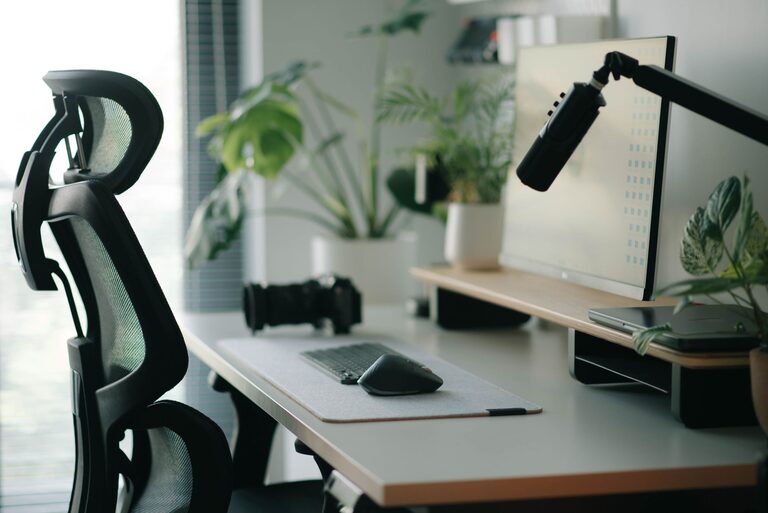
Creating the perfect desk setup can make a big difference in how well you focus and how comfortable you feel while working. Whether you work from home, in an office, or study, organizing your space thoughtfully can help increase productivity and reduce physical strain. In this guide, we’ll explore practical tips to design a desk setup that supports both focus and comfort.
Why Your Desk Setup Matters
Your work environment plays an important role in shaping your daily experience. A cluttered or poorly arranged desk can lead to distractions and discomfort that reduce efficiency. On the other hand, a well-organized, ergonomic workspace helps you stay attentive and avoid fatigue or pain.
Choosing the Right Desk
Size and Surface
Start by selecting a desk that fits your space and needs. It should be large enough to hold your computer, keyboard, and any other essential tools without feeling crowded. A clean surface allows for better organization and fewer distractions.
Adjustable Height Desks
Consider an adjustable height desk if you want to switch between sitting and standing during the day. These desks encourage movement, which can improve circulation and help maintain focus.
Chair Selection and Positioning
Ergonomic Chairs
Invest in a comfortable, supportive chair with adjustable height and lumbar support. An ergonomic chair helps maintain proper posture and prevents back and neck pain.
Correct Sitting Posture
Ensure your feet rest flat on the floor or a footrest, hips slightly above knees, and back straight. Your elbows should be at a 90-degree angle when typing or using a mouse.
Proper Monitor Placement
Eye Level Alignment
Place your monitor directly in front of you with the top of the screen at or just below eye level. This position reduces strain on your neck and eyes.
Distance from Eyes
Keep the screen about an arm’s length away. This distance helps reduce eye fatigue and makes it easier to read text or view images clearly.
Keyboard and Mouse Setup
Comfortable Positioning
Your keyboard and mouse should be close enough to avoid reaching but far enough to keep your wrists straight. Use a keyboard tray or adjustable desk surface if available.
Wrist Support
Consider wrist rests to maintain a neutral wrist position, especially if you type or scroll a lot during the day.
Lighting for Focus and Comfort
Natural Light
Maximize natural light by placing your desk near a window. Natural light can boost mood and productivity.
Balanced Artificial Lighting
Use a desk lamp with adjustable brightness to reduce glare on your screen and avoid eye strain. Position lighting to minimize shadows.
Minimizing Distractions
Declutter Your Desk
Keep only tools and items you need daily on your desk. Use organizers or drawers to store other items out of sight.
Manage Cables
Use cable organizers or clips to keep cords neat and prevent tangling, which can create visual clutter.
Personal Touches
Add a couple of personal items like a plant or photo to make your space inviting without overcrowding it.
Incorporating Breaks and Movement
Scheduled Breaks
Set reminders to take short breaks every hour. Stand up, stretch, or walk around to refresh both mind and body.
Movement-Friendly Setup
If possible, arrange your workspace to encourage movement. For example, place your printer or trash bin a few steps away.
Additional Comfort Tips
Temperature and Ventilation
Keep your workspace well-ventilated with a comfortable temperature to help maintain alertness.
Hydration and Snacks
Keep a water bottle close and healthy snacks handy to stay energized.
Final Thoughts
A thoughtfully arranged desk setup can transform your workday experience. By focusing on ergonomics, lighting, organization, and comfort, you can create a space that supports your ability to concentrate and prevents discomfort. Take the time to tailor your workspace to your needs—it’s an investment in your productivity and well-being.